Spielen
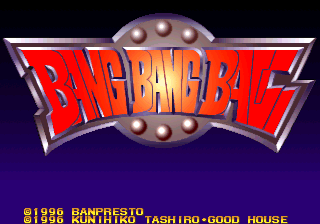
Powered by EmulatorJS · Arcade
Manipulieren Sie zwei Skateboard-Mäuse durch verschiedene Puzzle-Herausforderungen, um Hindernisse zu überwinden. Das Gameplay konzentriert sich darauf, Mechaniken zu werfen, um Level zu meistern und durch Level voranzukommen. Spieler müssen durch farbenfrohe Umgebungen navigieren, um eine Katzenbande zu besiegen und die in diesem wurfbasierten Puzzletitel vorgestellten Ziele zu erreichen.
Player layout in our catalog: 2P sim.
If you are exploring by feel rather than by title, jump from the tags above into the matching genre rooms, or return to the Arcade hall for the full wall.
Open Play on this page to start Bang Bang Ball (v1.05). Keyboard, USB/Bluetooth pads, and the on-screen touch gamepad all work inside the emulator bar. Save states and fullscreen live on that same bar so you can pause mid-session and resume later.
Bang Bang Ball (v1.05) is filed in our catalog as a 1996 release.
Player layout on this cabinet: 2P sim.
Genre tags on Classic Arcade Games: Puzzle.
Credit line lists Banpresto / Kunihiko Tashiro+Goodhouse as developer.





Nearby cabinets you may also open from this hall (each on its own play page):3X3 Puzzle (Enterprise), Aquarium (US), Baku Baku Animal (J 950407 V1.000), Big Twin, Bubble 2000, Chain Reaction, Cleopatra Fortune (Ver 2.1J 1996/09/05), Columns '97 (JET 961209 V1.000), Cookie & Bibi (set 1), Cookie & Bibi 3, Croquis (Korea), Cross Pang
Banpresto / Kunihiko Tashiro+Goodhouse appears on this cabinet’s credit line. Browse more titles from the same studio on the developer shelf, or stay on this page and try the next cabinets in the same hall.
Yes. Classic Arcade Games hosts Bang Bang Ball (v1.05) as a Arcade cabinet you can start on this page. The emulator loads in the browser; you do not need to install a separate app.
Arcade stick feel: Arrow keys for the joystick, X/Z (and nearby keys) for buttons, Enter=Start. USB / Bluetooth pads map cleanly; six-button fighters use the face-button cluster.
Our catalog tags Bang Bang Ball (v1.05) under Puzzle. Open those genre rooms from the tags on this page to find more playable cabinets in the same feel.
Kopiere den iframe-Code unten, um dieses Spiel auf deiner Website einzubetten.
<iframe src="https://de.classicarcade.games/games/arcade/bangball?embed=1" width="800" height="600" allowfullscreen allow="gamepad; autoplay; fullscreen"></iframe>