Spielen
Powered by EmulatorJS · Arcade
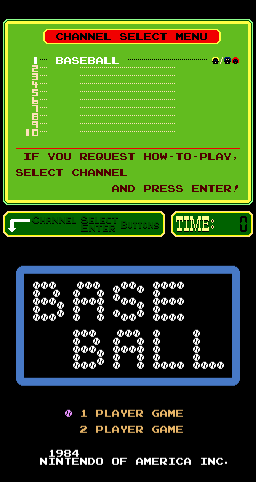
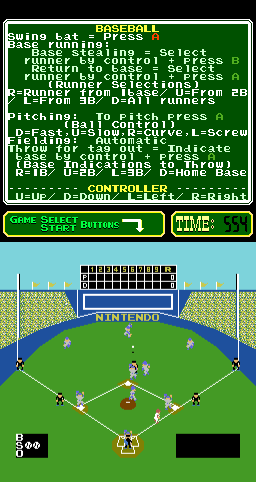
Baseball (PlayChoice-10) is a playable Arcade cabinet in the Classic Arcade Games library, first filed here as a 1984 release. Catalog tags place it in Sports. The page below runs the game in your browser with EmulatorJS — no separate download or desktop emulator install.
Player layout in our catalog: 2P sim.
If you are exploring by feel rather than by title, jump from the tags above into the matching genre rooms, or return to the Arcade hall for the full wall.
Open Play on this page to start Baseball (PlayChoice-10). Keyboard, USB/Bluetooth pads, and the on-screen touch gamepad all work inside the emulator bar. Save states and fullscreen live on that same bar so you can pause mid-session and resume later.
Baseball auf PlayChoice-10 ist Nintendos frühe Diamond-Sim: Pitch, Bat und Field mit ehrlichem Timing, bevor es leer weitergeht. Ehrlichkeit beim Timing ist wichtiger als Masche. Lernen Sie PlayChoice-10 Baseball-Fenster kalt – fügen Sie spätere Baseball-Dumps nicht blind ein. Beruhigen Sie die ersten Innings, bis das Timing des Schwungs erzählbar ist. Bei pc_bball chrome handelt es sich um Verpackung, nicht um kostenlose Homeruns oder kostenlose Inning-Clears bei jedem Durchgang für Vanity-Mash-Swings.
Erste Innings: Werfen Sie einen Blick auf das Pitch-Timing, timen Sie den Schwung, ignorieren Sie szenische Köder, die zu Panik-Mashing einladen. Schalten Sie das Gerät einmal aus und wieder ein, damit PlayChoice-10 Chrome nicht mehr wie ein späteres Baseball-Cab aussieht. Frühe Innings lehren Baseball-PC-10-Grammatik: geplante Schwünge vor Mash-Routen, die in der Mitte des Innings fehlen, wenn auf späteren Boards dichtere Pitch-Skripte eintreffen. Halten Sie sich an die Grammatik, bevor Vanity Mash ausbricht.
Pitch, Bat, Field as Wired, Inning Goals, Lives/Continues und Baseball PC-10 UI definieren die Systeme. Geschicklichkeit bedeutet Schwungkompetenz unter Druck – nicht jeden Wurf zu einem Fehlschlag zu machen. Bestätigen Sie nach dem Fortfahren erneut den Inning- und Pitch-Status, bevor Sie erneut Rennen fahren. Halten Sie bei diesem PlayChoice-10-Set eine Ein-Satz-Pitch-vor-Swing-Regel bereit, bevor das zweite Inning beginnt.
Läufe und Inning-Fortschritt werten den Lauf; Die Steuer auf Fehlschläge und Strikeouts bleibt bestehen. Fortsetzungen sind Münzen. Weniger Panikattacken und weniger ignorierte Blicke halten den Abspann am Leben. Das ewige Farmen einfacher Innings, ohne dichtere Pitches zu lesen, lässt Baseball PC-10 immer noch ungelesen. Progress ist PlayChoice-10-Chrom, das auf späteren Boards keine Miss-Loops mitten im Inning mehr erzwingt, kein eingefügtes Clear.
Auf jeder Seillänge mit dem Mash-Swing schwingen, das Timing ignorieren, nie einen Blick auf die Fehlschusskante werfen, durch die Szenerie tunneln, während ein Fehlschuss einen fertig macht, und mit der Wut fortfahren, nachdem Fehlschüsse den Abspann verbrennen. Das Aus- und Wiedereinschalten mitten in der Neigung ohne Plan verbrennt einen weiteren Kredit. Nächster Credit: Pitch zuerst, Swing nach Plan – Stoppen Sie den Mash-Tourismus für Landschaften und die Inning-Panik auf späteren PlayChoice-10-Boards.
Wenn Baseball-PC-10-Innings ohne ständige Fehler enden, vergleichen Sie bewusst andere PlayChoice-10-Sporttitel und kehren Sie dann mit Schwungübungen zurück. Spielen Sie weiter, bis die Panik-Mash-Leerungen aufhören, die Sitzungen mitten im Inning auf späteren Boards zu beenden. Cousin-Baseball-Schränke helfen, da sich der Kontrast nach Baseball PC-10 automatisch anfühlt – und nicht als Ausweg aus Innings, in denen man immer noch nach Chrom sucht. Beenden Sie ein vollständiges, sorgfältiges Inning, bevor Sie erneut den Vanity-Homeruns nachjagen.
Sources cited below under Further reading.
Baseball (PlayChoice-10) is filed in our catalog as a 1984 release.
Player layout on this cabinet: 2P sim.
Genre tags on Classic Arcade Games: Sports.
Credit line lists Nintendo of America as developer.
Nearby cabinets you may also open from this hall (each on its own play page):Donkey Kong 3 (US), Mario Bros. (US, Revision G), Mario Bros. (PlayChoice-10), Donkey Kong (Coleco), Donkey Kong (US set 1), 10-Yard Fight (World, set 1), 720 Degrees (rev 4), Video Eight Ball, Eight Ball Action (DK conversion), Alley Master, Alpine Ski (set 1), Appoooh
Nintendo of America appears on this cabinet’s credit line. Browse more titles from the same studio on the developer shelf, or stay on this page and try the next cabinets in the same hall.
Donkey Kong 3 (US) · Mario Bros. (US, Revision G) · Mario Bros. (PlayChoice-10) · Donkey Kong (Coleco) · Donkey Kong (US set 1)
Yes. Classic Arcade Games hosts Baseball (PlayChoice-10) as a Arcade cabinet you can start on this page. The emulator loads in the browser; you do not need to install a separate app.
Arcade stick feel: Arrow keys for the joystick, X/Z (and nearby keys) for buttons, Enter=Start. USB / Bluetooth pads map cleanly; six-button fighters use the face-button cluster.
Our catalog tags Baseball (PlayChoice-10) under Sports. Open those genre rooms from the tags on this page to find more playable cabinets in the same feel.
Kopiere den iframe-Code unten, um dieses Spiel auf deiner Website einzubetten.
<iframe src="https://de.classicarcade.games/games/arcade/pc_bball?embed=1" width="800" height="600" allowfullscreen allow="gamepad; autoplay; fullscreen"></iframe>